
Features guide
what each screen does.
Only features that exist in the code are listed. Pro marks what the paywall unlocks.
01Price Book
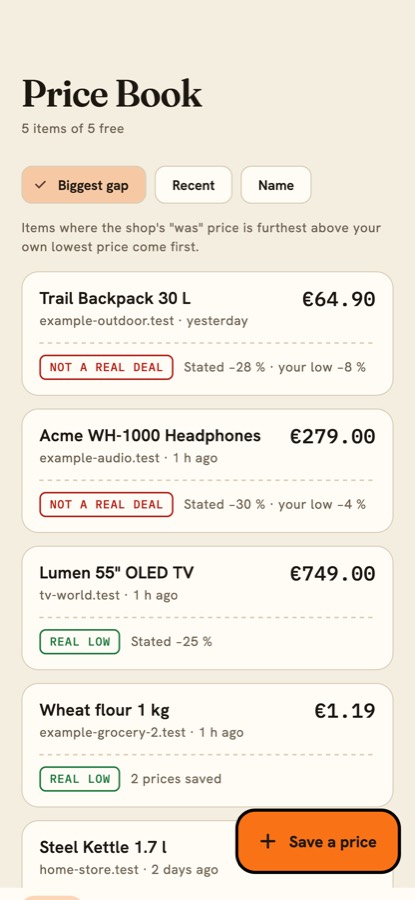
Everything the user watches, across shops. Sort by Biggest gap (the shop's stated "was" price compared with the user's own lowest price), Recent or Name. Items can be merged (the same product from two shops) and split again. Free users keep 5 items (setting).
02Save a price
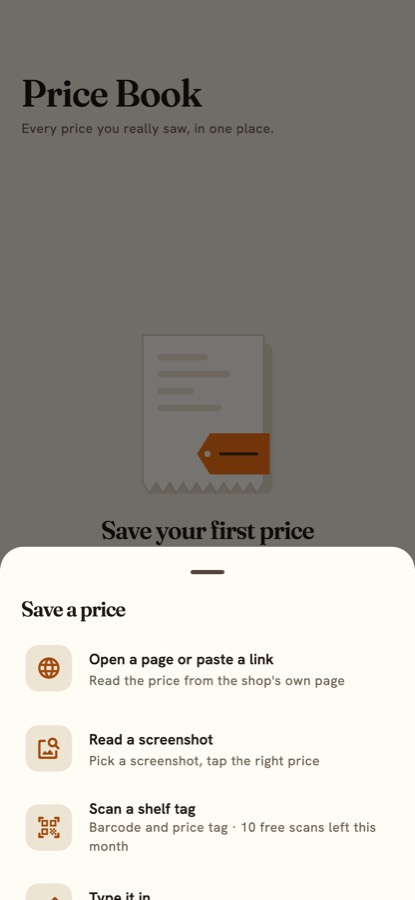
Five ways, all ending at the same confirm card:
- Open a page or paste a link. The in-app browser shows the shop page. Tap "Read this page": the app reads the schema.org JSON-LD data and falls back to Open Graph and product meta tags. The app never loads shop pages in the background.
- Share a link into the app (Android, from the share sheet). On iOS there is no share extension in this version: copy the link and paste it.
- Read a screenshot. On-device text recognition; the user taps the right price.
- Scan a shelf tag. Barcode and price tag, with the unit price per kg or litre. Free users get 10 scans a month (setting).
- Type it in.
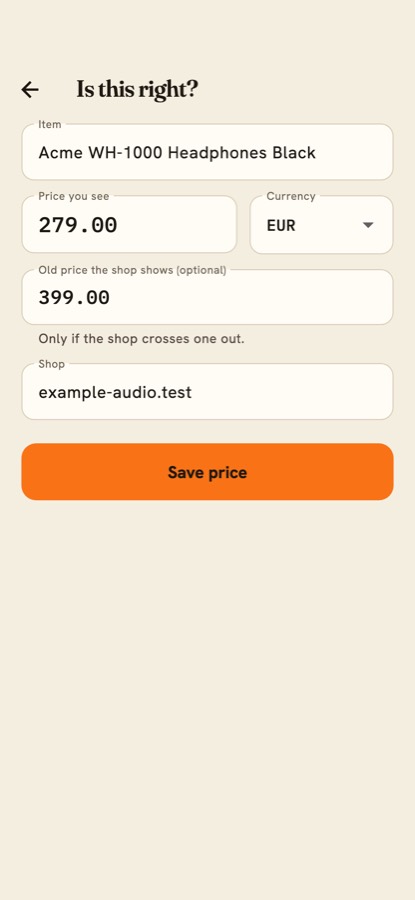
The confirm card ("Is this right?") always lets the user fix the name, shop, price and "was" price before saving. A missing price is never invented: the app asks.
03Price Tape and verdict
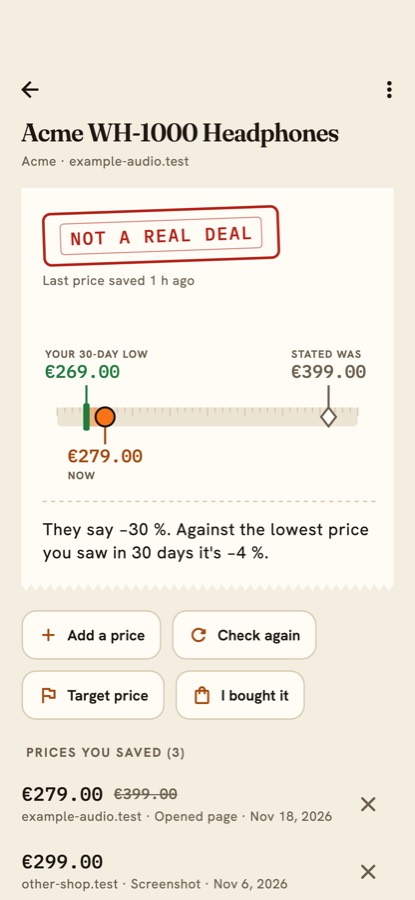
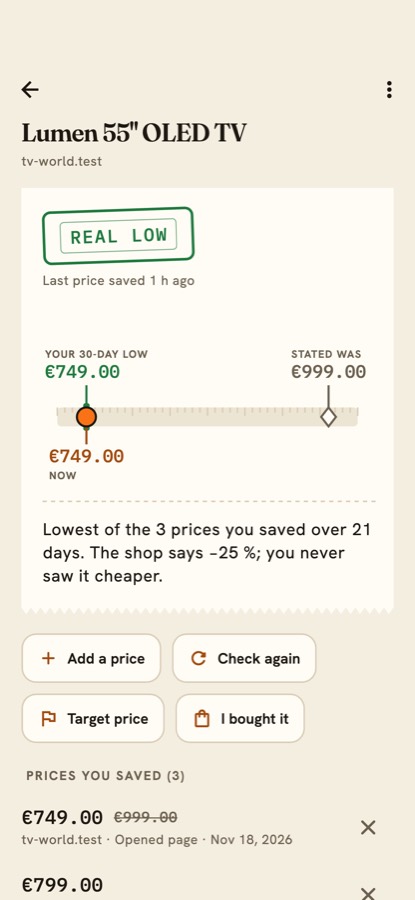
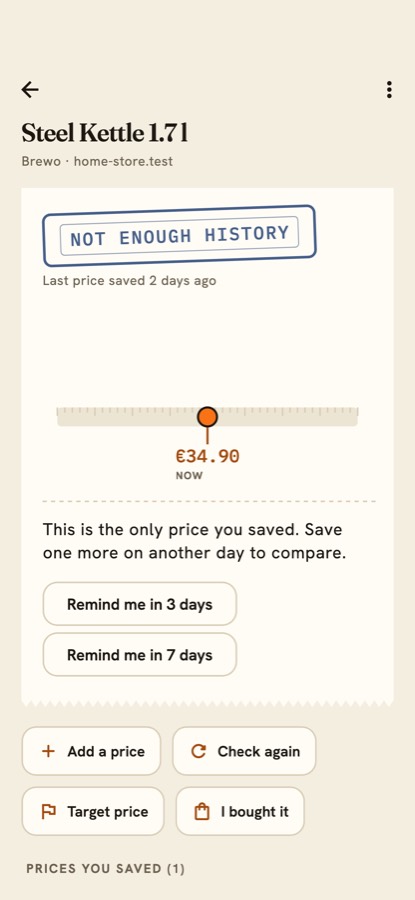
For each item the Price Tape shows the shop's stated "was" price, the user's lowest price in the look-back window and today's price, with a stamp and a one-sentence reason. The rules are on How verdicts work.
04Watch, targets and return windows
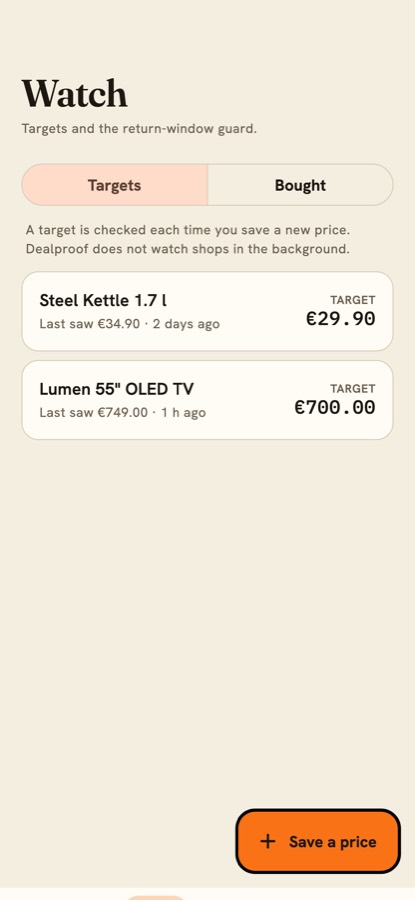
A target price per item triggers a local notification when it is reached. I bought it moves an item to bought and, with a return window (Pro), the Return-Window Guard flags a price drop that happens while the window is still open. Check again (Pro) opens the item's page again so the user can read the new price. Notifications are local only; no server pushes anything.
05Cycle Clock
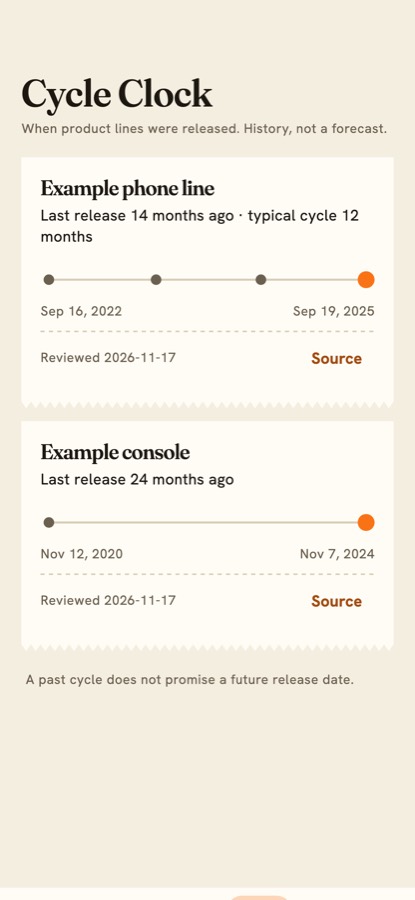
Shows how long ago a product line was last released and its typical cycle, from rows the operator maintains (Console). It is history, not a forecast, and the screen says so. The app ships with only three verified iPhone dates, so the clock is nearly empty until you add rows. The screenshot below uses invented example lines.
06Settings, export and data
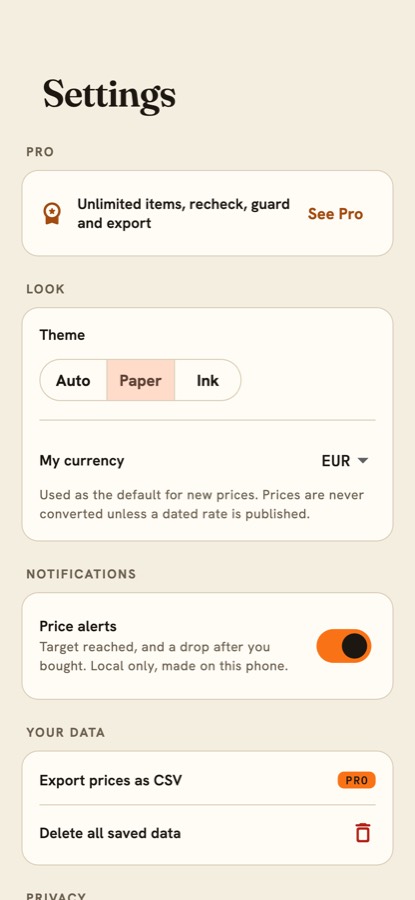
Theme (Auto, Paper, Ink), the user's currency, price alerts, Export CSV (Pro; opens the share sheet), the anonymous usage count switch (off by default), links to support, privacy and terms, a list of open-source licences, and Delete all saved data. Prices in another currency are compared only when the server publishes dated rates, and the result says so.
07Announcement and force update
From the console you can show a one-time announcement and block old versions with an Update required screen. See Console pages.